


MechaStick Fighter
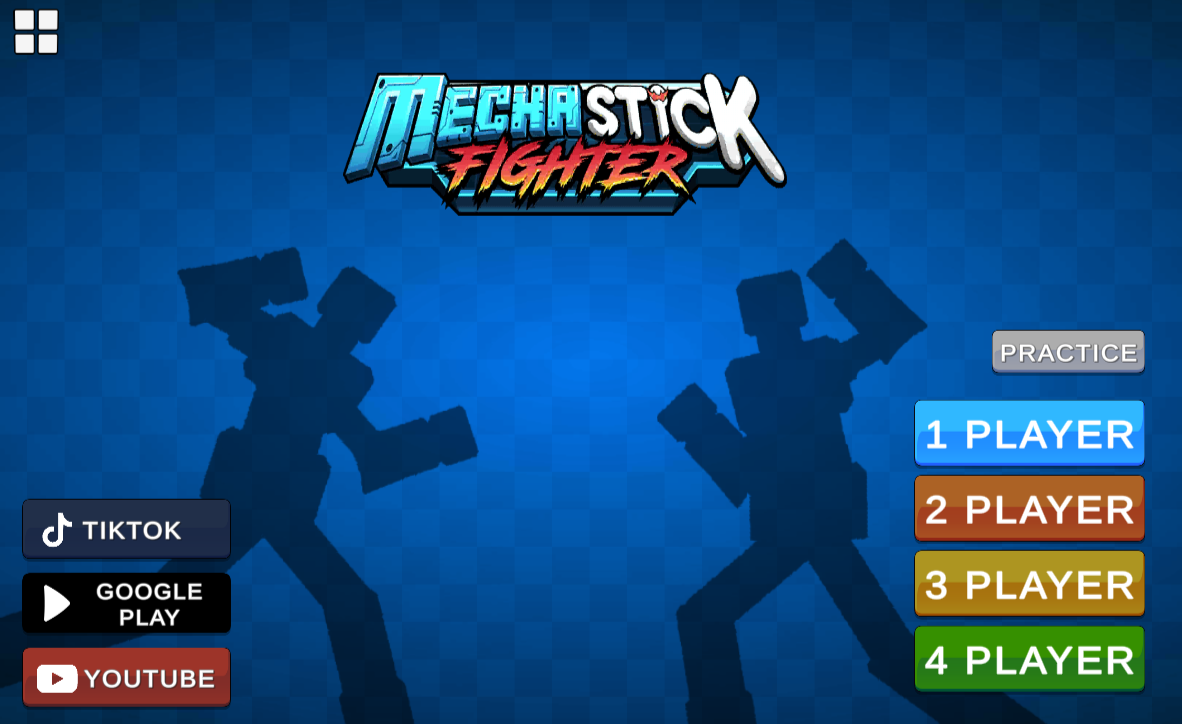
Physics-based mech combat for 1-4 players (same device). Limbs fly off progressively—lose arms, mobility drops. Zero-gravity arenas change momentum. Desktop gamepad recommended.
Category
Fighting Game
Rating
4.7 / 5
Votes
1731
What to expect
A MechaStick Fighter guide for understanding the physics destruction chaos, setting up 1-4 player local matches, handling zero-gravity arena shifts, and knowing if this party brawler suits your group.
What MechaStick Fighter Offers
MechaStick Fighter is a physics-based fighting game where up to four players control giant mechs piloted by stickmen, all battling on the same device. The core appeal is destruction—punches knock off opponent limbs, and losing parts reduces your mech’s effectiveness until someone’s torso gets destroyed and they’re eliminated. Matches are chaotic, fast, and unpredictable because the physics engine makes every collision feel different.
The game runs in a browser without installation and supports keyboard or gamepad controllers. Player 1 uses WASD for movement and attacks, Player 2 uses arrow keys, and Players 3-4 can plug in gamepads. The local multiplayer setup means everyone crowds around one screen, which creates the kind of immediate trash-talk energy that online multiplayer can’t replicate.
Arenas range from standard flat battlegrounds to zero-gravity space maps where movement behaves differently. The zero-g stages remove traction, which turns every attack into a momentum puzzle—hit someone too hard and you’ll both drift in opposite directions, potentially leaving you vulnerable. That environmental shift forces you to rethink strategies that work on regular maps.
How the Physics Destruction Actually Plays
When you land a solid hit, opponent limbs can detach and fly across the arena. Lose an arm and your attack range shrinks. Lose a leg and you move slower, making you easier to corner. The torso is the critical component—destroy that and the mech is out. This progressive damage system means fights don’t end instantly; they escalate as both players lose parts and adapt to their reduced capabilities.
The chaos comes from the unpredictability. You might aim a punch at someone’s head, but they dodge at the last second and your momentum carries you into a third player, triggering a chain reaction of collisions. Or you land a perfect hit that sends an opponent’s arm spinning into another fighter, damaging them inadvertently. The physics don’t follow scripted animations—they simulate real-time reactions, which creates moments that feel genuinely emergent rather than designed.
That unpredictability is the game’s strength if you enjoy party game chaos, but it’s also a limitation if you want precise, skill-based combat. You can’t reliably execute combos or frame-perfect strategies because the physics introduce too much variance. Success comes from reading situations quickly and adjusting to what the simulation throws at you, not from mastering optimal button sequences.
What the Local Multiplayer Setup Actually Means
Local multiplayer means everyone plays on the same device—one keyboard, or a mix of keyboard and gamepads. This creates logistical constraints. If you’re using only a keyboard, two players max because WASD and arrow keys are the standard layouts. Adding a third or fourth player requires gamepads, which not everyone has readily available.
The same-screen format also changes how you play. There’s no hiding your strategies or setting up sneaky plays—everyone sees everything simultaneously. That transparency shifts the game toward reactive play rather than tactical planning. You’re not thinking three moves ahead; you’re responding to what’s happening right now while also keeping peripheral awareness of other players’ positions.
The upside is that local multiplayer removes all the friction of online matchmaking, lag, or connection issues. You don’t need accounts, friend codes, or stable internet. Just load the game, hand someone a controller, and start fighting. That immediacy makes it easy to jump in for quick sessions during gatherings or downtime.
How Zero-Gravity Arenas Change the Game
On standard maps, traction lets you plant your feet and deliver grounded attacks. In zero-gravity arenas, every action has equal and opposite momentum. Throw a punch and you drift backward. Get hit and you spin uncontrollably until you collide with a wall or another player. The lack of friction means positioning requires constant micro-adjustments, and overcommitting to an attack can leave you floating helplessly while your opponent recovers.
The zero-g maps reward players who understand momentum management. If you attack recklessly, you’ll spend half the match drifting out of range. If you use short, controlled strikes and reposition between exchanges, you maintain better spacing. The environmental shift doesn’t just add visual variety—it fundamentally changes how you approach combat.
Some players find zero-gravity matches more frustrating than fun because the reduced control makes it harder to execute deliberate strategies. Others enjoy the added challenge and the way it equalizes skill gaps—even experienced players have to relearn movement basics in zero-g, which gives newcomers a better chance.
How to Play Mechastick Fighter
Master the Controls
- Player 1 uses W, A, S, D keys for movement and attack.
- Player 2 uses Arrow Keys.
- Each player controls their mech’s movement, attacks, and special abilities through keyboard input.
- The controls are designed to be intuitive forward movement to apply pressure, sideways movement to dodge and reposition, and attack buttons to strike opponents.
- Practice basic movement first before attempting advanced techniques.
- Gamepad support is also available for those who prefer controller input.
Understand Combat Mechanics
- MechaStick Fighter uses physicsbased combat where attacks can knock off opponent limbs and mech parts.
- Strategy involves not just attacking first but reading opponent movements, avoiding danger, and using the arena environment to your advantage.
- Different body parts have different properties arms for ranged strikes, legs for stability, and torso as the core unit.
- When parts are destroyed, the opponent’s mobility and combat effectiveness decreases.
- Master timing and spacing to gain the upper hand in battles.
Utilize Arena Features
- Each arena has unique environmental hazards and features that can shift battle momentum.
- In space maps, reduced gravity affects movement and allows aerial combat.
- Use arena obstacles strategically to trap opponents or create safe openings.
- The environment becomes part of your combat strategy.
- Some arenas feature destructible elements while others have safe zones.
- Learn each arena’s layout to maximize your tactical advantages during fights.
Who This Brawler Suits
MechaStick Fighter works best for groups looking for a quick, chaotic party game they can play together one screen. If you’ve enjoyed games like Gang Beasts or Stick Fight and want something with a mech aesthetic, this delivers that same physics-driven unpredictability. The short match length (a few minutes per round) makes it easy to cycle through players or run mini tournaments.
It’s less suited to players who want deep one-on-one fighting game mechanics or online competitive play. There’s no online multiplayer, no ranking system, and no combo system to master. The physics chaos is the point, not a side effect, which means if you prefer precision over unpredictability, the game won’t click.
The mech customization lets you swap body parts and colors, but the impact on gameplay is minor. You’re not building optimized loadouts for specific matchups—you’re tweaking aesthetics and getting slight stat variations. The customization adds replay motivation if you enjoy unlocking options, but it doesn’t dramatically shift how matches play out.
The browser version runs smoothly on modern desktops with keyboard or gamepad support. Mobile browsers are technically supported with touch controls, but the small screen and virtual buttons make local multiplayer impractical. This is built for desktop play with physical controllers.
For another browser party game with different mechanical focus, try Scale the Depths, a cozy fishing sim with entirely different pacing.
Share your tips for MechaStick Fighter
Share a useful tip, a favourite route, or a correction that can help the next player.
Comments are not collected on this independent fan site.
To report a broken game frame or suggest a guide correction, email [email protected] with the page URL.